Managing inventory efficiently is the backbone of any successful e-commerce operation. For BigCommerce store owners, keeping track of product-level and variant-level inventory is crucial. ShipBlink simplifies this task by offering an intuitive solution for inventory location allocation directly from BigCommerce’s Product Catalog, ensuring accurate cart rates and shipping labels every time. Here’s how you can harness the power of ShipBlink with BigCommerce’s Multi-Location Inventory Allocation feature.
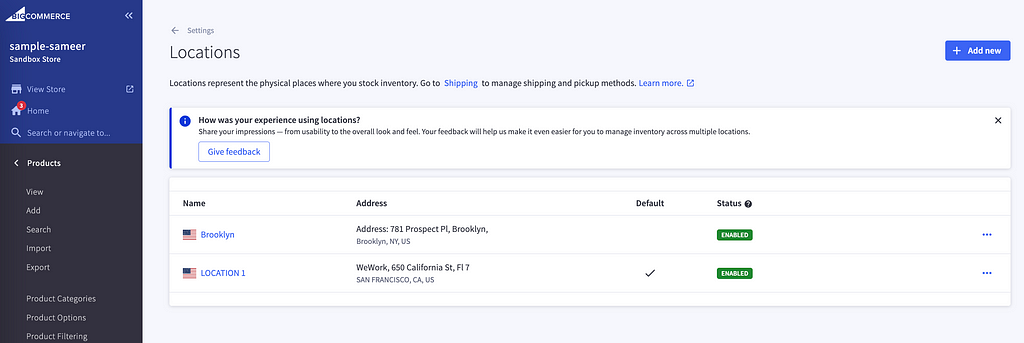
Step 1: Add Warehouse Locations to Your BigCommerce Store.
The first step to streamlined inventory management is to define your warehouse locations within your BigCommerce store. This foundational step helps you organize your inventory across multiple locations, preparing you for efficient dispatching once an order is placed.
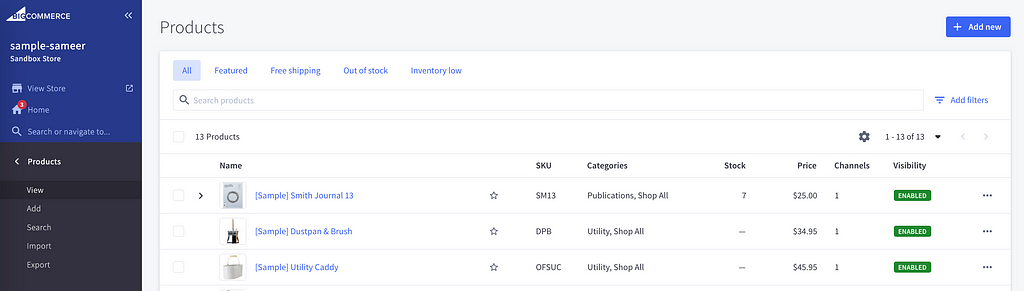
Step 2: Add Products to BigCommerce Populate your BigCommerce product catalog with your offerings.
This crucial step is where you define what you sell and where you sell it from, setting the stage for ShipBlink to take the reins on managing these details.
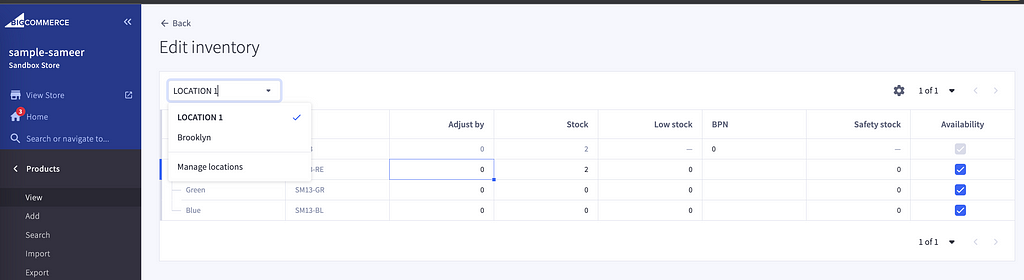
Step 3: Add Inventory Locations to BigCommerce Products Assign your products to their respective inventory locations within BigCommerce.
This step is vital as it ties your products to specific warehouses, enabling ShipBlink to accurately determine where items should be shipped from.
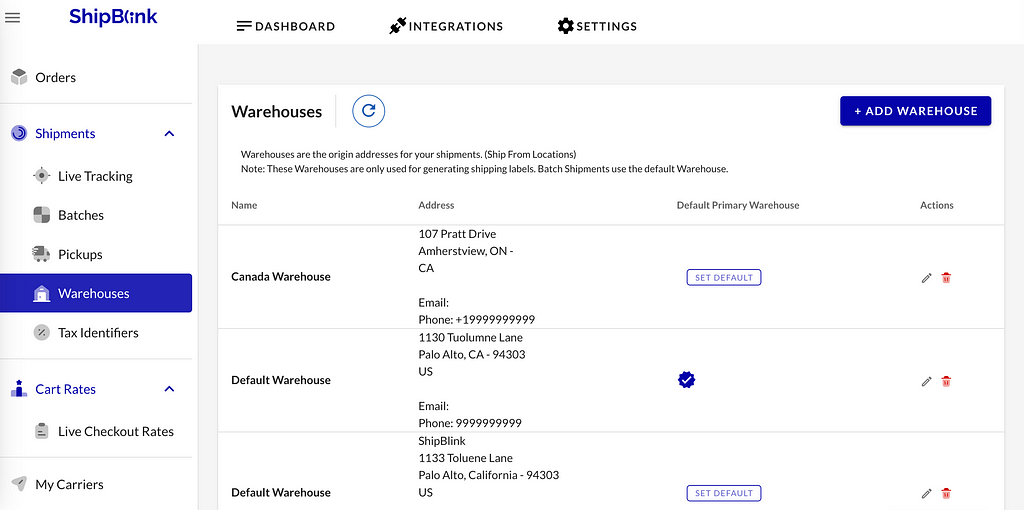
Step 4: Ensure Warehouse Locations are Correctly Setup in ShipBlink.
With your BigCommerce setup in place, the next move is to replicate your warehouse locations within ShipBlink. A mirror image of your BigCommerce inventory setup in ShipBlink is essential to synchronize your inventory management across both platforms.
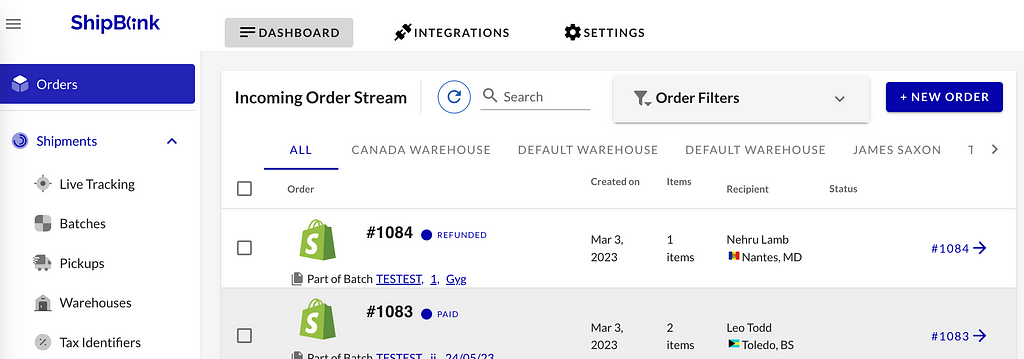
Step 5: Let ShipBlink Handle the Warehouse Allocation.
Now, it’s time to let ShipBlink shine. With everything set up, ShipBlink will manage the warehouse allocation for Live Checkout Rates & Shipping Labels. This means whenever a customer places an order, ShipBlink automatically determines the best warehouse for fulfillment, based on location and inventory availability, ensuring quick delivery times and efficient shipping operations.
ShipBlink supports both — Dynamic Cart Rates & Shipping Labels from Multi-Location Inventory BigCommerce stores.
By leveraging ShipBlink’s integration with BigCommerce, e-commerce businesses can not only enhance their inventory management but also provide their customers with the satisfaction of prompt and accurate deliveries. Ready to transform your inventory management?
Get started with ShipBlink today and take your BigCommerce store to the next level. Schedule a free demo walkthrough with the Founder today.