If you’re an investor in India, you know the struggle. Every month, you get your Consolidated Account Statement (CAS) from CDSL or NSDL. It’s a treasure trove of information about your stocks, mutual funds, and bonds. But it’s trapped in a password-protected PDF.
So, what do you do? You open Excel, put the PDF on one side of the screen, and start the painful process of manually typing everything out. Transaction by transaction, holding by holding. It’s slow, tedious, and one tiny mistake can throw off your entire portfolio calculation.
Sound familiar? 😩
What if I told you there’s a way to convert your entire CAS statement - whether it’s from CDSL or NSDL — into a clean, organized Excel file in less than 30 seconds? No manual data entry. No copy-paste errors. Just one click.
The Old Way: Manual Data Entry Nightmare
For years, investors and financial advisors have been stuck in a loop:
- Download the eCAS PDF from your email.
- Enter the password (usually your PAN).
- Manually copy each line item into an Excel spreadsheet.
- Spend hours cleaning up the data, formatting columns, and correcting typos.
- Repeat every single month for every single client or family member.
This process isn’t just inefficient; it’s a recipe for disaster. A single misplaced decimal or a mistyped stock symbol can lead to incorrect portfolio analysis and bad investment decisions.
The New Way: One-Click Conversion with CASParser.in
CASParser.in is a tool designed to solve this exact problem. It’s a smart parser that reads your encrypted CAS PDF and instantly converts it into a structured Excel file. It’s fast, accurate, and incredibly easy to use.
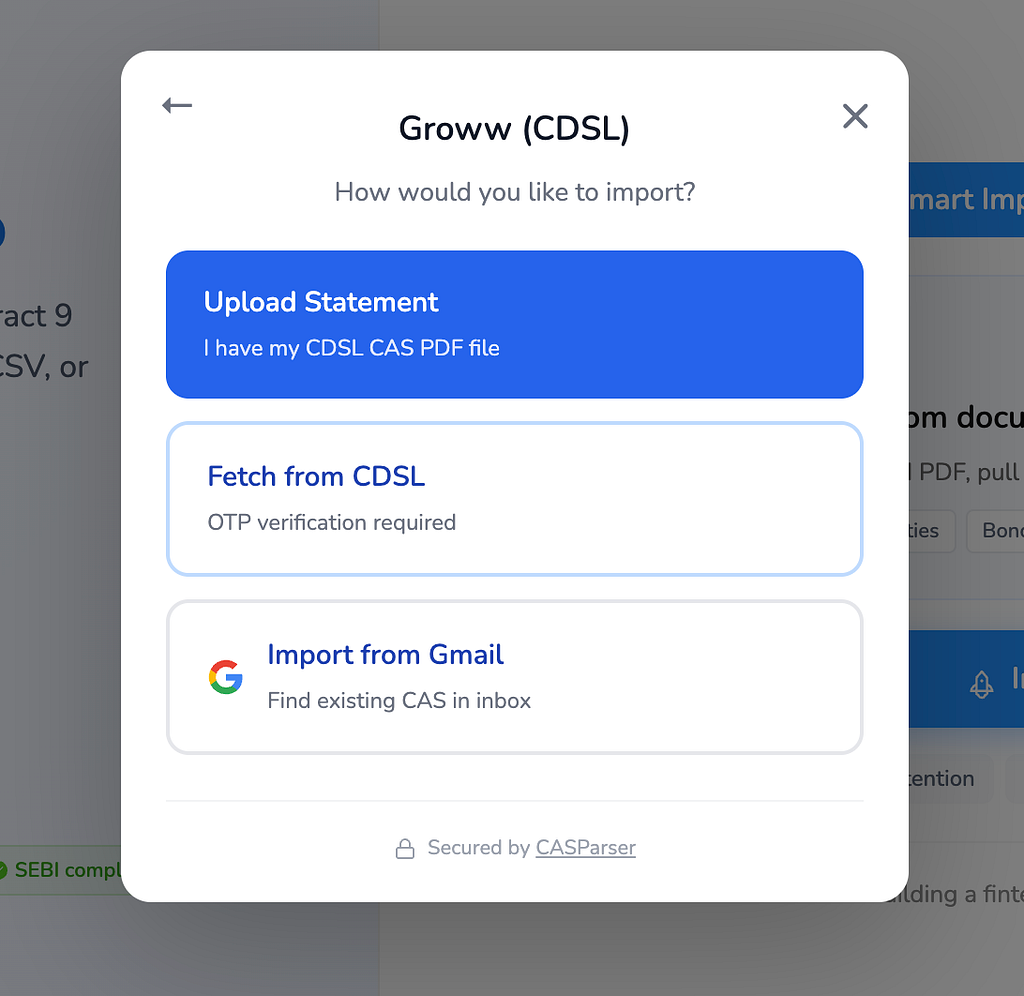
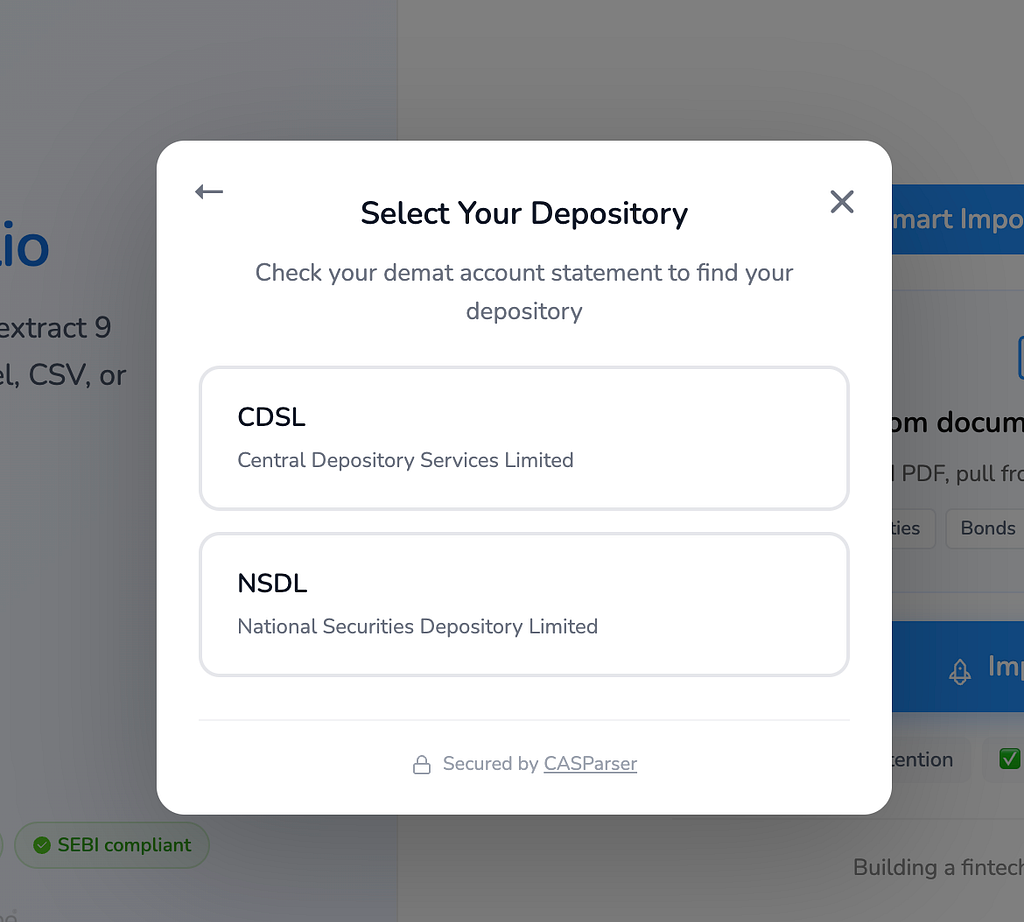
Here’s how it works:
Step 1: Visit CASParser.in
Navigate to the CASParser web portal. You’ll see a simple, clean interface designed for one purpose: parsing your statements.
Step 2: Upload Your eCAS PDF
Drag and drop your CDSL or NSDL eCAS file into the upload box. The tool will prompt you for the password (which is typically your PAN in all caps). CASParser securely processes the file without ever storing your data.
Step 3: Download Your Excel File
Within seconds, the tool will finish parsing your statement. You’ll see a “Download” button. Click it, and you’ll get a perfectly formatted Excel file containing all your portfolio data, including:
- Portfolio Summary: A high-level overview of your investments.
- Detailed Holdings: Every stock, mutual fund, and bond you own.
- Transaction History: All your buy/sell transactions with dates and prices.
- Folio Numbers & DP IDs: All the important identifiers in one place.
That’s it. The entire process takes less time than it takes to find the file in your email inbox.
Why You’ll Love the CASParser Excel Export
This isn’t just about saving time. It’s about unlocking the power of your own financial data.
- For Individual Investors: Finally, you can run your own analysis in Excel. Create custom charts, track your portfolio performance against benchmarks, and calculate your capital gains without the headache of manual data entry.
- For Financial Advisors: Onboard new clients in minutes, not hours. Instead of asking clients to fill out lengthy forms, just ask for their latest CAS. You can bulk-upload statements for all your clients and get a consolidated view of their investments in a single dashboard.
Your Data, Your Control
We believe that you should have easy access to your own financial data. CASParser is built on a foundation of security and privacy:
- Zero Data Retention: Your files and data are never stored on our servers.
- Secure Processing: Everything is handled in-memory and encrypted.
- Trusted by Professionals: Over 100 financial platforms and thousands of investors use CASParser.
Ready to take back your time and unlock the power of your portfolio data?
Click here to try CASParser for free and convert your first CAS to Excel in seconds!
Stop the manual data entry madness. Your portfolio will thank you. 😉
P.S. For developers building fintech applications, CASParser also offers a powerful REST API to automate portfolio imports directly into your app.